Engineering
Engineering SLS Prototypes & Parts
3D printing eliminates molds and tooling, slashing costs and shrinking lead times. Skipping expensive tooling means you can make last-minute design tweaks right before we hit print without triggering a financial headache.
And don't let the lower price tag fool you—affordable doesn't mean cheap. We print high-performing, functional prototypes built to handle real-world stress, offering complex features traditional manufacturing simply can't match. Our secret? The efficiency of Selective Laser Sintering (SLS). It keeps production costs low, and we pass those savings directly to you. To help you hit the ground running, we even wrote a free guide: From Idea to Prototype.
Core SLS Features
Built for Speed, Built for Choice
We can print multiple design variations in a single build. Want to test three different snap-fits or label individual parts? No problem. Evaluate each version side-by-side to find what works best. SLS gives you robust, high-performance parts made to test, tweak, and iterate on the fly.
Unmatched Design Flexibility
Personalization doesn't cost extra here. Unlike traditional manufacturing, SLS doesn't charge you for making variations. Pair that flexibility with our ultra-tough nylon materials, and your parts go straight from our machines to doing real work. Tell us about your project—let’s turn your napkin sketch into a functional part.
Premium Quality Without the Premium Price
You get maximum performance without the markup. Removing expensive tooling cuts lead times and lowers total cost, giving you access to complex geometry that traditional methods struggle to produce. High quality and lower cost really can live together.
So… How Fast and Affordable Is It?
Turnaround time and pricing depend on part volume and overall build size. As much as we’d love to throw out a random magic number (42?), it really depends on your specs. Send us your file, and we'll give you a clear, upfront quote.
The SLS Production Process
Upload Your CAD File
Once your CAD file is ready, submit it alongside your project specs through our Quote Form.
Expert Engineering Review
Our team reviews your design for printability. Once approved, we slice the model into precise layers (0.10–0.15 mm) and prepare the machine.
Precision Printing
Layer by layer, our SLS machines build your part at roughly 10–15 mm per hour.
Post-Processing & Finishing
After the build cools, a technician carefully removes the part, bead-blasts away loose powder, and applies your chosen final finishes.
Specifications
Meet the Fleet: Gretel, Hansel, and The Wicked Witch
Expert Guidance
Our Three Workhorses
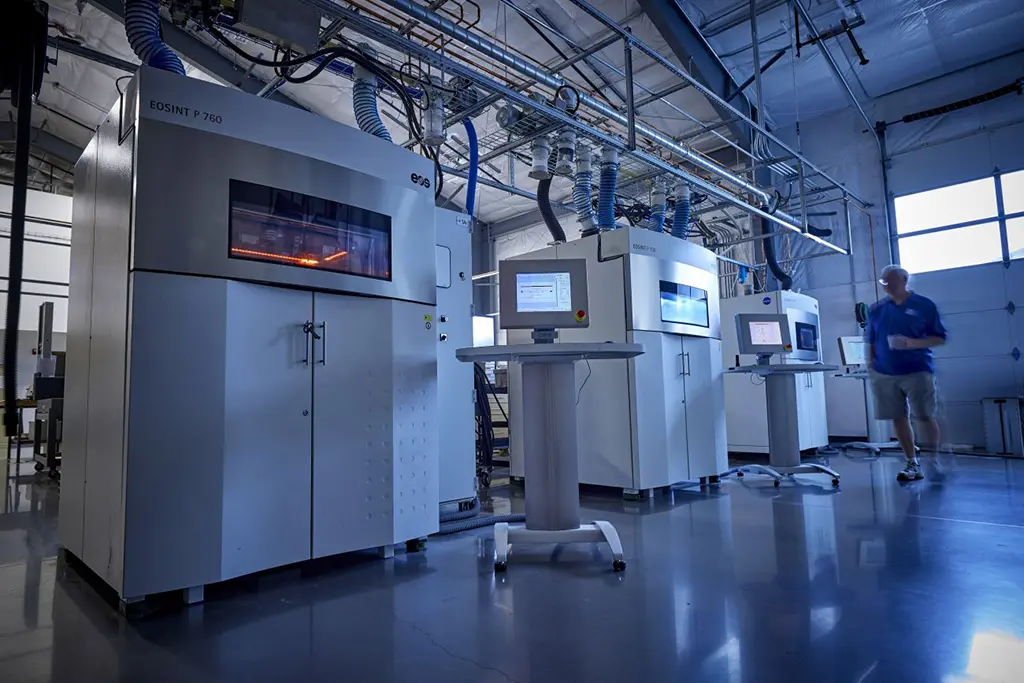
Built with precision German engineering, our Selective Laser Sintering (SLS) systems handle powders from various vendors with ease. Each machine brings its own personality to the floor, but they all share one key trait: incredible reliability through thousands of production hours with minimal downtime.
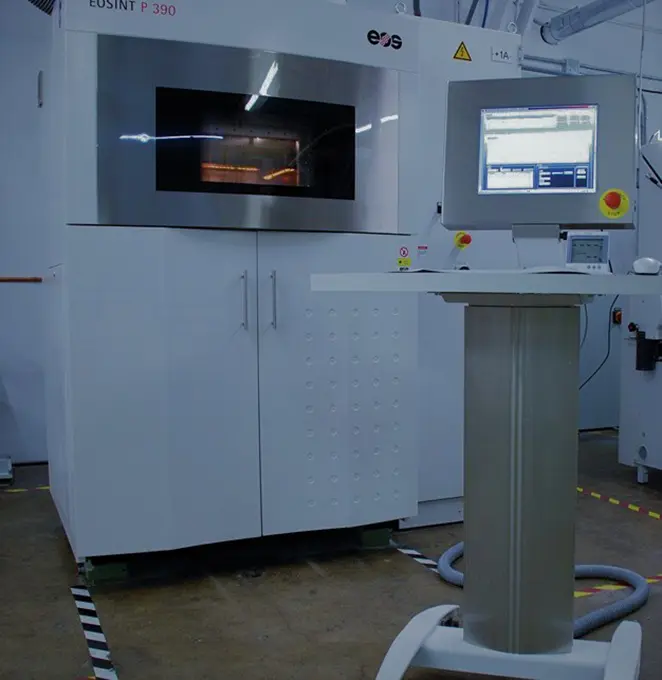

Gretel (aka P390)
Gretel is our nimble production workhorse, turning out durable, functional nylon parts. Her compact build platform speeds up job turnarounds without sacrificing part precision.
- Build Volume: 340x340x620 mm
- Build Speed1: Up to 35 mm height/hour
- Layer Thickness1: 0.1-0.15 mm
- Scan Speed2: Up to 6 m/s

Hansel (aka P730)
As one of the largest plastic SLS platforms around, Hansel handles high-volume runs and tricky, complex geometries with ease. Dual lasers and a horizontal layout mean faster output and crisp detail.
- Build Volume: 700x380x580 mm
- Build Speed1: Up to 35 mm height/hour
- Layer Thickness1: 0.12 mm
- Scan Speed2: Up to 2x6 m/s

The Wicked Witch (aka P760)
Don't let the name scare you—she uses her powers for good. As our newest high-capacity printer, she excels at serial production runs and demanding functional prototypes.
- Build Volume: 700x380x580 mm
- Build Speed1: Up to 32 mm height/hour
- Layer Thickness1: 0.06-0.10-0.12-0.15-0.18 mm
- Scan Speed2: Up to 2x6 m/s
1Speed times and thickness are material dependent. 2Machine speed during the build process.
SLS Basic Design Guidelines
Mastering Selective Laser Sintering (SLS) start with the fundamentals. This guide covers everything you need to know—from selecting the right materials and respecting design constraints to preparing your files and implementing best-in-class printing practices.
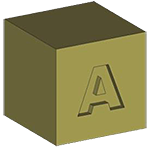 Text — Recessed
- Use a San-serif font, Arial is a good choice
- The font must have Bold applied
- Use a font size no smaller than 16 pt (the larger the better)
- The font depth must be at least 0.8 mm (especially for smaller text - 16 pt); larger text depth can be as shallow as 0.5 mm
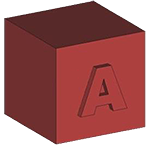 Text — Raised
- Use a San-serif font, Arial is a good choice
- The font must have Bold applied
- Use a font size no smaller than 14 pt (the larger the better)
- The font depth must be at least 0.6 mm
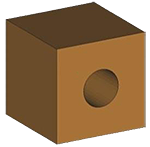 Holes
Holes
- Vertical build orientation—at least 1.5 mm in diameter
- Horizontal build orientation—at least 2.0 mm in diameter
- To maximize resolution, build the part with the holes in vertical orientation and minimize part thickness in that area
 Pins
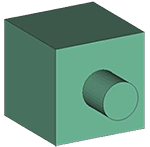
Pins
- Minimum 1.0 mm diameter
- Either vertical or horizontal build orientation
- Required clearances for movable pins (including hinge pins):
- Minimum 0.3 mm per side (X-Y build)
- Minimum 0.5 mm per side (Z build) (manage this with a hole and/or pin diameter change)
 Thin Walls
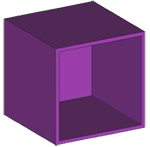
- Our guaranteed minimum wall thickness for SLS is 1.0 mm (0.04 inches); anything less will be “best effort”
- Minimum wall thickness of 1.5 mm (0.06 inches) for reproducible measurements and mechanical properties
- Orient thin walls for plane-by-plane building to improve accuracy and resolvability
 Gears
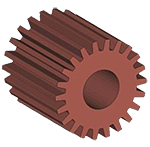
Gears
- Increase the shaft clearance to 1.0 mm (for free-spinning gears)
- Increase the tooth separation distance to between 0.5 mm and 1.0 mm
- NOTE: You should make any changes to the model before the creating the STL file
 Threads
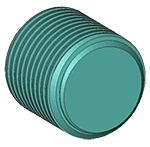
- Increase the thread clearance by a minimum of 0.1 mm (for printed threads)
- Have the threads added in a post-op process
- NOTE: You should make any changes to the model before the creating the STL file
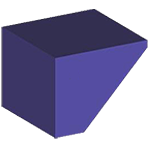 Feathered Edges
- Feathered or knife edges should taper to no less than 0.8 mm (0.03 inches)
- DO NOT taper to a sharp edge (a sharp edge is fragile and easy to break)
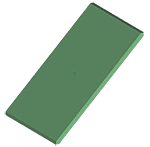 Large Flat Parts
- Large flat parts will warp—the amount of warping depends on the wall thickness, surrounding features, and overall part size
- Use a filled material (e.g., carbon-filled) to help minimize warping. Filled materials will not eliminate warping, but they will significantly reduce it
- Create a space frame (grid) around the part(s) that are removed and sanded after receiving—this will not eliminate warping but, will help reduce it
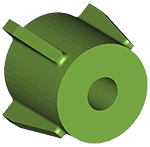 Bosses
- The outside diameter of the boss should be 2X to 3X the diameter of the insert to provide sufficient strength and minimize hoop shrinkage (shrinkage in the boss sidewall)
- The boss’s height should be equal to the insert’s height—if the boss is too tall, shrinkage may occur below the level of the boss
- Ribs and gussets may be added for increased strength—the thickness of the rib or gusset should be no greater than 60% of the thickness of the boss sidewall thickness
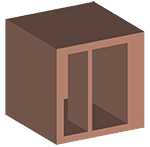 Wall Thickness
- The ideal wall thickness is between 1.5 mm and 3.0 mm (0.06 inches and 0.12 inches)
- Have a consistent wall thickness, try to keep all walls the same thickness, avoiding extreme wall thickness variations—large blocks of material will cause excess heat and shrinkage, resulting in part deformation
- Make any internal and/or external ribs, gussets, or baffles no thicker than 60% of their adjoining wall thickness
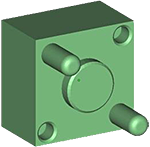 Parts with Tight Tolerances
- Our standard production tolerances (with no post-op machining processes) are:
- +/-0.25 mm (+/-0.010 inches) for features less than or equal to 50 mm in size
- +/-0.38 mm (+/-0.015 inches) for features greater than 50 mm in size but less than or equal to 75 mm in size
- For features that are greater than 75 mm in size, our tolerance is:
- +/-0.38 mm plus 0.05 mm per every 25 mm over 75 mm (+/-0.015 plus 0.002 inches per inch for each inch over 3.00 inches)
- Send a print and your RFQ highlighting the desired critical features and feature tolerances
- For the SLS process, it is only possible to build with symmetric tolerances
- For large quantity runs or large parts (with extreme tolerance requirements), leave extra material on the part that can be removed through a post-op machining process
- For small quantity runs (10 or fewer), send the CAD file (in a 3D CAD neutral format) along with your purchase request. This will allow us to adjust the model to account for variations in shrink rates
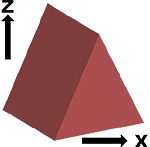 Build Orientation
- Our standard is to build all parts with the shortest side in the “Z” orientation
- If a particular build orientation is required, send a print along with your RFQ highlighting the desired “X-Y-Z” build orientation (be sure to specify the “Z” growth direction)
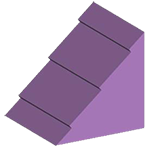 Layer Lines
- Since all parts are built layer by layer, angled and curved surfaces may have visible layer lines
- Build orientation can help minimize the visual appearance of layer lines. For a smoother surface, request that the surface be printed (down) for build orientation
- Print the surface at 0 degrees (horizontal) or greater than 20 degrees
- The post-op process of tumbling and/or sanding can be used to smooth out layer lines
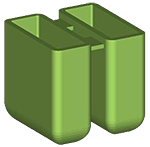 Living Hinge
- Avoid using a living hinge in SLS if possible
- The best material for a living hinge is Nylon 11 (PA850-BLK)
- The hinge should have a minimum thickness of 0.8 mm (0.03 inches)
- NOTE: This is below our minimum guaranteed build thickness of 1 mm (0.04 inches), so this feature will be “best effort”
- Anneal the hinge before flexing—soak the part in boiling water for 10 minutes, then allow the part to cool slowly
- NOTE: This could cause deformation and/or dimensional changes to other features on your part
- Things to NOTE:
- The hinge will flex, but do not expect it to flex like an injection molded hinge
- The hinge will only flex a few times before breaking
- If over-flexed, the hinge will break
- The longer you can make the hinge, the better your chance of success
Download the SLS Basic Design Guidelines PDF
For details specific to your project, it’s best to call us at +1 (503) 434-8557 or request a quote.
Contact Support